Common Ecommerce Image Problems Found on BigCommerce Stores
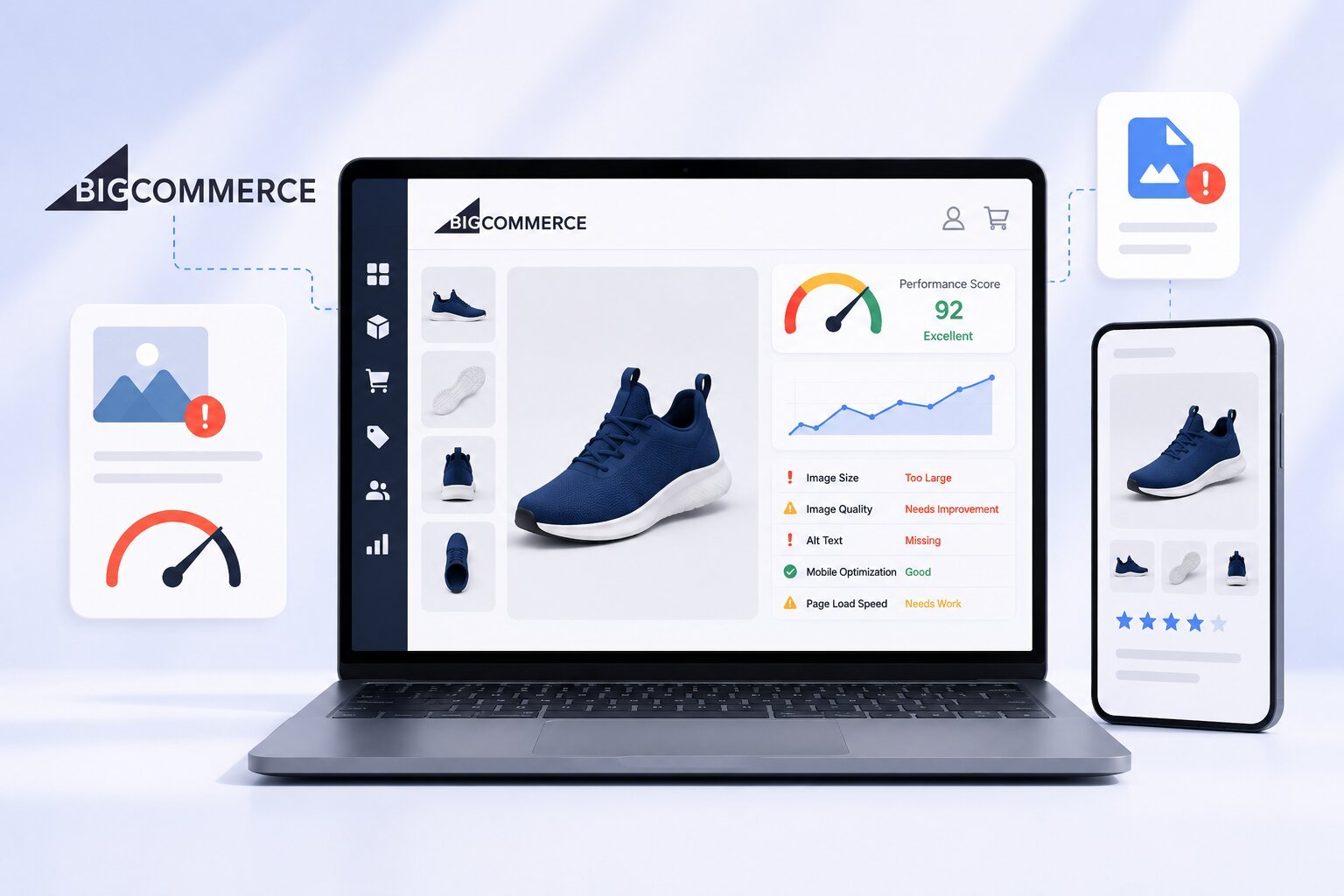
A BigCommerce store can have great products, competitive pricing, and strong marketing, but image-related issues can still hold it back. Product images are often the first thing shoppers notice, and even small problems can affect how customers interact with your store.
Many merchants focus on adding high-quality visuals but overlook how those images impact the overall shopping experience. As a result, they start looking for ways to optimize BigCommerce product images without sacrificing visual appeal. Understanding the most common image problems is the first step toward creating a faster, more user-friendly store.
Let’s explore some of the most common e-commerce image problems found on BigCommerce stores and how they can affect both shoppers and store performance.
Image Challenges Affecting BigCommerce Performance
Even high-quality product photos can create problems if they are not properly managed. From slow-loading pages to inconsistent product displays, image-related issues can quietly affect the shopping experience and overall store performance.
Here are some of the most common image challenges found on BigCommerce stores.
1. Oversized Product Images
One of the most common issues is uploading images that are much larger than necessary.
Many store owners upload high-resolution photos directly from cameras or editing software. While these images may look great, they often contain far more data than is needed for web display.
Large image files can:
- Slow down page loading times
- Increase mobile data usage
- Create a frustrating shopping experience
- Cause visitors to leave before a page fully loads
What to Do
- Resize images to match the display requirements of your store.
- Compress image files without significantly affecting visual quality.
- Avoid uploading original camera-sized images when smaller versions will work just as well.
2. Inconsistent Image Dimensions
A product catalog looks more professional when images follow a consistent format.
When some products use portrait images, others use landscape images, and some have different aspect ratios altogether, category pages can appear uneven and cluttered.
Common problems include:
- Misaligned product grids
- Unbalanced category pages
- Reduced visual appeal
- Difficulty comparing products
What to Do
- Use a consistent aspect ratio across your product catalog.
- Create image guidelines for all future product uploads.
- Review category pages regularly to ensure visual consistency.
3. Poor Image Quality
While reducing file size is important, over-compression can create another problem: poor image quality.
Blurry product photos, visible artifacts, and pixelated images can make products appear less appealing. Shoppers often associate image quality with product quality.
Signs of poor image quality include:
- Blurred details
- Distorted colors
- Pixelation when zooming
- Unclear product features
What to Do
- Avoid excessive image compression.
- Use clear, high-quality source images whenever possible.
- Test images on both desktop and mobile devices before publishing.
Finding the right balance between image quality and file size is essential for eCommerce success.
4. Missing Alt Text
Many BigCommerce stores focus on visual presentation but overlook image accessibility.
Alt text helps search engines understand images and provides descriptions for users who rely on screen readers. Missing alt text can limit the value images provide from both usability and search visibility perspectives.
Effective alt text should:
- Clearly describe the product
- Be concise and relevant
- Reflect what appears in the image
- Support accessibility efforts
What to Do
- Add descriptive alt text to every product image.
- Focus on accurately describing the product shown.
- Keep descriptions concise and relevant rather than keyword stuffing.
5. Too Many Product Images on a Single Page
Providing multiple product views can help shoppers make informed decisions. However, displaying excessive numbers of large images on a page can create performance challenges.
Some stores upload:
- Dozens of product gallery images
- Multiple lifestyle photos
- Large detail shots
- Redundant image variations
While visual content is valuable, too much of it can increase page weight and affect loading speed, especially for mobile visitors.
What to Do
- Include only images that help shoppers understand the product.
- Remove duplicate or unnecessary gallery images.
- Prioritize the most important product views and details.
A balanced image strategy often delivers better results than simply adding more photos.
6. Unoptimized Mobile Image Experience
A growing percentage of ecommerce traffic comes from smartphones and tablets. Yet many stores still focus primarily on desktop image presentation.
Common mobile image issues include:
- Slow-loading images on mobile networks
- Product photos appearing too large for smaller screens
- Poor gallery navigation
- Unnecessary data usage
When shoppers experience delays or difficulty viewing products on mobile devices, conversions can suffer.
What to Do
- Review product pages on different screen sizes.
- Ensure images display properly on mobile devices.
- Use image formats and sizes that support faster mobile loading.
7. Managing Large Product Catalogs
As stores grow, image management becomes increasingly difficult.
A store with hundreds or thousands of products may struggle to maintain image consistency across its catalog. Updating files manually can become time-consuming and increase the risk of errors.
This is where bulk image optimization becomes especially valuable. Instead of handling images individually, store owners can streamline image management across large product inventories while maintaining consistent quality and performance standards.
What to Do
- Establish image standards for all products.
- Use bulk image optimization workflows to save time.
- Regularly review new uploads to maintain consistency across the catalog.
For growing ecommerce businesses, scalability matters just as much as image quality.
8. Duplicate or Unnecessary Images
Many BigCommerce stores accumulate duplicate image files over time.
This can happen when:
- Product listings are copied
- Old product images remain stored even after they are no longer needed
- Multiple versions of the same image are uploaded
- Seasonal products are updated repeatedly
These unnecessary files can create organizational challenges and make image management more difficult than it needs to be.
What to Do
- Conduct periodic image audits.
- Remove outdated or duplicate files from your catalog.
- Keep only the image versions that actively support product listings.
Why Image Optimization Matters for BigCommerce Stores
Images are one of the most important elements of any e-commerce store. They allow customers to evaluate products, build confidence, and make purchasing decisions.
When image-related issues go unresolved, stores may experience:
- Slower page loading times
- Lower customer engagement
- Reduced mobile usability
- Inconsistent product presentation
- Missed opportunities to improve the shopping experience
Addressing common image problems can help create a smoother customer journey and support overall store performance.
Conclusion
BigCommerce provides a powerful platform for online selling, but image management remains a challenge for many store owners. Oversized files, inconsistent dimensions, missing alt text, poor mobile experiences, and duplicate images are among the most common issues affecting e-commerce stores today.
Taking the time to identify and resolve these problems can improve the overall shopping experience and help stores present products more effectively. Whether you’re managing a small catalog or thousands of products, making image optimization a priority can deliver long-term benefits for both customers and your business.
Frequently Asked Questions
1. Why should I optimize BigCommerce product images?
Optimized images can improve page loading speed, create a better shopping experience, and help customers view products more efficiently across devices.
2. What image size is best for BigCommerce stores?
The ideal size depends on your theme and product presentation, but images should be large enough for clarity while avoiding unnecessary file size.
3. Does image optimization affect ecommerce performance?
Well-managed images can contribute to a smoother browsing experience by reducing page weight and improving overall usability.
4. What is bulk image optimization?
Bulk image optimization is the process of optimizing multiple images simultaneously instead of editing each image individually.
5. Can poor image quality reduce customer trust?
Yes. Blurry or low-quality product images can make products appear less professional and may discourage potential buyers.
6. How often should ecommerce product images be reviewed?
Regular reviews are recommended, especially when adding new products, redesigning pages, or expanding your product catalog.






Post Comment