How Custom Designs Become Ready for Embroidery Machines
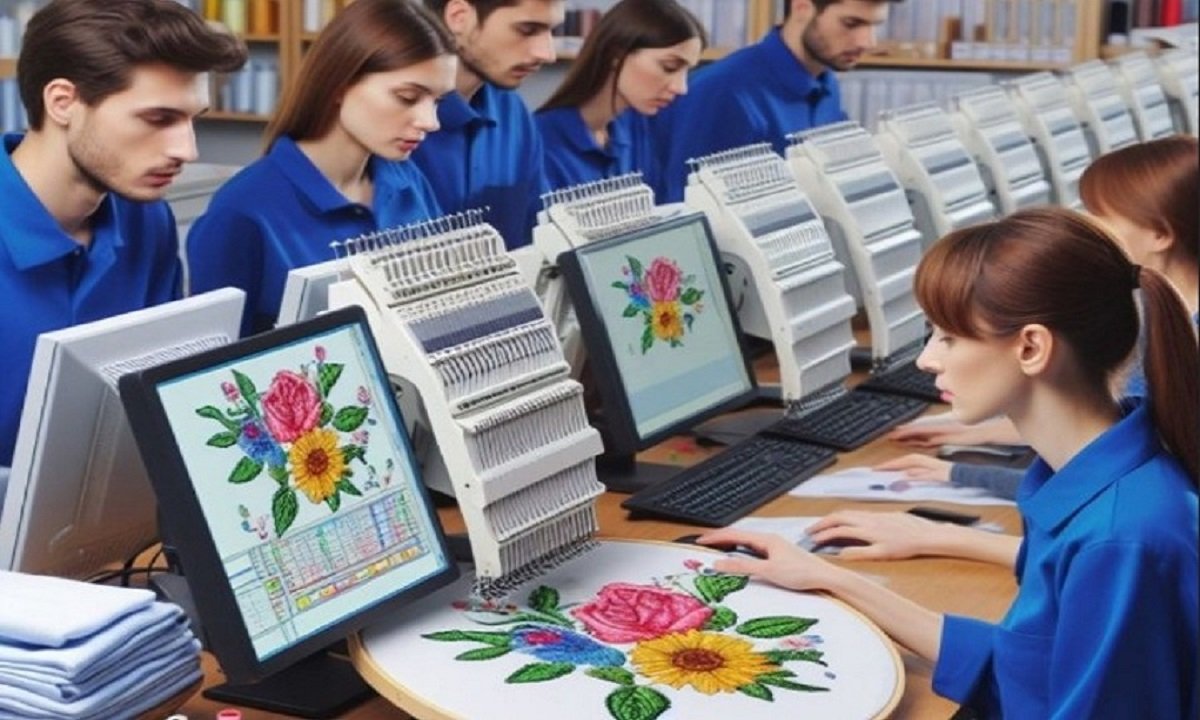
Embroidery machines can create beautiful logos, names, and artwork on many types of fabric. But before a machine can stitch a design, the artwork must go through several important steps. A machine cannot read normal images like JPG or PNG files directly. The design must first become a special embroidery file.
This process is called Embroidery Artwork Digitizing , and it helps turn simple artwork into stitch instructions for embroidery machines. Good design preparation helps the machine stitch smoothly and gives cleaner final results on fabric.
In this guide, you will learn how custom artwork becomes ready for embroidery machines. We will explain each step in a simple way so beginners can understand the full process from image to stitched design.
What Does It Mean to Prepare a Design for Embroidery?
Preparing a design means changing normal artwork into a file that an embroidery machine can understand.
The machine needs instructions like:
- Where stitches should go
- Which stitch type to use
- Which thread color to use
- How dense the stitches should be
- Where trims and stops should happen
Without proper preparation, the machine cannot stitch the design correctly.
Why Design Preparation Is Important
Many people think embroidery machines do all the work automatically. That is not true.
A machine only follows the embroidery file. If the file is poor, the stitching will also look poor.
Problems Caused by Poor Design Setup
Thread breaks
Bad stitch paths can break thread often.
Fabric pulling
Heavy stitches may damage fabric.
Uneven stitching
Poor density creates rough embroidery.
Messy details
Tiny shapes may not stitch clearly.
Good preparation helps avoid these common embroidery problems.
Step 1: Choosing the Right Artwork
Everything starts with the artwork.
The quality of the image affects the final embroidery result.
Best Artwork Types for Embroidery
Vector artwork
Vector files are clean and easy to resize.
High-quality PNG files
Sharp images work better than blurry ones.
Simple logos
Bold shapes stitch more clearly.
Artwork That Causes Problems
Some images are difficult for embroidery.
Very small images
Tiny details may disappear.
Blurry pictures
Poor quality images create messy stitches.
Designs with too many details
Embroidery has limits. Small details may not stitch well.
Simple artwork usually gives the best embroidery results.
Step 2: Cleaning the Artwork
Before digitizing starts, the artwork should be cleaned.
Remove Unwanted Details
Tiny lines and extra shapes may not stitch properly.
Fix Broken Shapes
Clean edges help create smoother stitches.
Simplify Colors
Too many colors can slow embroidery production.
Simple and clean artwork is easier to digitize and stitch.
Step 3: Choosing the Design Size
Design size matters a lot in embroidery.
Some details may look good on a screen but fail when stitched too small.
Why Size Is Important
Small text may become unreadable
Tiny letters are difficult to stitch cleanly.
Large dense areas may become stiff
Heavy stitching can damage fabric.
Resizing later may affect stitch quality
Changing file size after digitizing can create problems.
Always decide the design size before digitizing begins.
Step 4: Understanding Stitch Types
Different parts of a design use different stitches.
Each stitch type has a special purpose.
Satin Stitch
Satin stitches look smooth and shiny.
Best for:
- Text
- Borders
- Small shapes
Fill Stitch
Fill stitches cover large areas.
Best for:
- Backgrounds
- Big logos
- Large shapes
Running Stitch
Running stitches create thin lines.
Best for:
- Outlines
- Fine details
- Small elements
Choosing the right stitch type improves embroidery quality.
Step 5: Planning Stitch Direction
Stitch direction affects how embroidery looks on fabric.
Different angles change how thread reflects light.
Why Stitch Direction Matters
Good stitch angles help:
- Improve design flow
- Create smooth texture
- Reduce gaps
- Improve color appearance
Poor stitch direction can make embroidery look rough or uneven.
Step 6: Setting Stitch Density
Stitch density means how close the stitches are together.
Balanced density is very important.
Problems With High Density
Too many stitches can:
- Break thread
- Pull fabric
- Create stiff embroidery
- Cause needle heat
Problems With Low Density
Loose stitches may:
- Show fabric gaps
- Look unfinished
- Reduce design quality
Professional digitizers carefully balance stitch density.
Step 7: Adding Underlay Stitches
Underlay stitches are hidden stitches placed under the top embroidery.
They support the design during stitching.
Benefits of Underlay
Better fabric stability
The design stays in place.
Smoother top stitches
Top thread looks cleaner.
Less fabric movement
Underlay reduces shifting during embroidery.
Good underlay improves embroidery quality greatly.
Step 8: Choosing Thread Colors
Thread selection affects the final appearance of embroidery.
Use Colors That Match the Artwork
Good thread shades help designs look accurate.
Keep Color Changes Simple
Too many color changes slow production.
Test Colors on Fabric
Thread may look different on cloth than on the thread cone.
Testing helps avoid color mistakes.
Step 9: Creating a Stitch Path
The stitch path controls the order the machine follows while stitching.
Good stitch paths improve embroidery performance.
Benefits of a Clean Stitch Path
- Fewer thread trims
- Faster stitching
- Less machine movement
- Cleaner final results
Poor stitch paths can create messy embroidery.
Step 10: Saving the File in the Correct Format
Embroidery machines use special file formats.
Different machines need different file types.
Common Embroidery Formats
DST
Popular commercial format.
PES
Used by many home embroidery machines.
EXP
Common in industrial embroidery.
Using the correct file format helps the machine read the design properly.
Step 11: Running a Test Stitch
Testing is one of the most important steps in embroidery.
Even experienced digitizers always test their files.
What Testing Helps Check
Thread breaks
Testing finds stitching problems early.
Design quality
You can see how the embroidery looks on fabric.
Density balance
Testing helps spot heavy stitching.
Fabric support
You can check stabilizer performance.
Test runs help prevent expensive production mistakes.
Understanding Fabric Differences
Different fabrics behave differently during embroidery.
A design that works on cotton may not work on stretch fabric.
Easy Fabrics for Embroidery
Cotton
Stable and beginner-friendly.
Denim
Strong and durable.
Canvas
Handles heavy stitching well.
Difficult Fabrics
Stretch fabric
Needs extra support.
Thin fabric
Can wrinkle easily.
Towels
Loops may cover small details.
Designs often need adjustments for different materials.
The Role of Stabilizers
Stabilizers support the fabric during stitching.
Without stabilizers, embroidery may shift or wrinkle.
Common Stabilizer Types
Tear-away stabilizer
Good for stable fabrics.
Cut-away stabilizer
Best for stretchy materials.
Wash-away stabilizer
Used for lace or delicate designs.
Proper stabilizers improve embroidery quality and design stability.
Common Mistakes Beginners Make
Many new embroidery users face similar problems.
Using Poor Artwork
Low-quality images create bad embroidery files.
Ignoring Fabric Type
Different fabrics need different setups.
Making Designs Too Small
Tiny details may not stitch properly.
Using Too Many Colors
Extra color changes slow production.
Skipping Test Runs
Testing helps find problems early.
Learning from mistakes helps improve embroidery skills.
Why Experience Matters in Digitizing
Good digitizing takes practice and experience.
Experienced digitizers understand:
- Stitch behavior
- Fabric movement
- Thread tension
- Density control
- Machine limits
These skills help create cleaner embroidery designs.
How Professionals Improve Embroidery Quality
Professional digitizers do more than convert images.
They carefully plan every stitch.
Professional Design Planning Includes
Fabric testing
Different materials need different settings.
Stitch angle control
Angles affect thread appearance.
Density adjustment
Balanced stitches improve durability.
Underlay setup
Good support keeps embroidery stable.
Professional work helps embroidery look clean and polished.
Tips for Beginners
If you are new to embroidery design preparation, start simple.
Beginner-Friendly Advice
Use bold artwork
Simple shapes stitch better.
Start with stable fabrics
Cotton is a great beginner fabric.
Test every design
Testing improves quality.
Learn stitch basics
Understanding stitch types helps a lot.
Practice often
Skills improve with time and experience.
Small projects help beginners learn faster.
Keeping Embroidery Machines in Good Shape
Machine care is important for good embroidery.
Clean Machines Regularly
Dust and lint affect stitching quality.
Replace Needles Often
Old needles may damage fabric or break thread.
Check Thread Tension
Balanced tension improves stitching.
Use Quality Supplies
Good thread and stabilizers improve embroidery results.
Well-maintained machines create smoother embroidery designs.
Benefits of Good Design Preparation
Proper design setup improves embroidery quality in many ways.
Main Benefits
Cleaner stitching
Good files create smoother embroidery.
Faster production
Machines run better with clean files.
Less thread breaking
Balanced designs reduce machine stops.
Better customer satisfaction
Clean embroidery builds trust.
Lower material waste
Fewer mistakes save money and fabric.
Good preparation helps embroidery projects succeed.
Final Thoughts
Custom embroidery designs go through many important steps before they become ready for embroidery machines. From cleaning artwork to planning stitches and testing files, every step affects the final embroidery result.
Good design preparation helps reduce thread breaks, improve stitch quality, and create smoother embroidery on different fabrics. Simple artwork, balanced density, proper stabilizers, and careful testing all play a big role in embroidery success.
Start with simple projects and keep learning with each design. Over time, your embroidery skills will improve, and your custom designs will look cleaner, stronger, and more professional on every stitch.


Post Comment