Cloud PC Gaming: Exploring Flexible PC Cloud Gaming Options
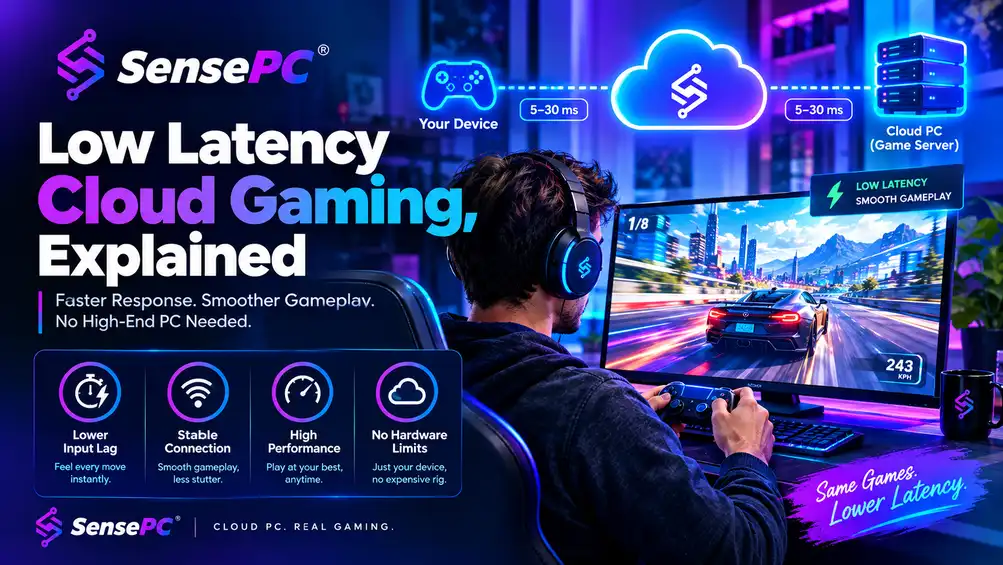
The traditional gaming PC has always been associated with powerful processors, dedicated graphics cards, large storage drives, and regular hardware upgrades. But today, gamers have another way to access demanding computing resources: cloud PC gaming.
Instead of running every game on local hardware, cloud computing allows the processing to take place on a remote PC or server. The game is rendered remotely and streamed to the player’s device, creating a gaming setup that can be accessed without owning a high-end desktop.
What Is Cloud PC Gaming?
Cloud PC gaming refers to playing games through a remote computer hosted in the cloud. The remote system provides the CPU, GPU, memory, and storage required to run the game, while the user connects through a compatible application, browser, or remote-access environment.
This approach can be particularly useful for people whose existing computers cannot handle newer games. A lightweight laptop, for example, may not have a dedicated gaming GPU but can potentially connect to a sufficiently powerful cloud PC.
The quality of the experience depends on several factors, including the remote hardware, internet connection, server location, and streaming technology.
How PC Cloud Gaming Works
With PC cloud gaming, most of the demanding workload is performed away from the user’s physical computer.
A typical session works like this:
- The player connects to a cloud gaming environment.
- A remote computer with suitable hardware runs the game.
- The game is rendered on that remote machine.
- Video and audio are streamed to the player’s device.
- Keyboard, mouse, or controller inputs are sent back to the remote computer.
Because the game is running remotely, local hardware requirements can be significantly different from those of a conventional gaming PC.
However, cloud gaming does not eliminate the importance of a good internet connection. Stable bandwidth and low latency are important for responsive gameplay.
Why Gamers Are Considering Cloud PCs
One advantage of a cloud PC is flexibility. Instead of purchasing an expensive gaming system and upgrading it periodically, users can access remote computing resources when they need them.
This can make sense for gamers who:
- Use a laptop as their primary computer
- Do not want to build a dedicated gaming PC
- Need powerful hardware only occasionally
- Want to access a gaming environment from different devices
- Prefer usage-based or flexible computing options
Cloud PCs can also be useful beyond gaming. Depending on the configuration, the same remote computer can support productivity software, development tools, creative applications, and other demanding workloads.
What About a Free Cloud Gaming PC?
The phrase free cloud gaming PC attracts plenty of attention, but completely unrestricted free cloud gaming is uncommon. Running remote GPUs and servers involves significant infrastructure costs.
Free plans, trials, or promotional access may therefore include restrictions such as limited session lengths, queues, reduced hardware specifications, storage limits, or monthly usage caps.
For someone simply testing cloud gaming, a free option can be a useful way to understand how the technology works. Gamers who need reliable access for regular play may want to compare paid services and usage-based plans as well.
It is important to read the provider’s current terms before assuming that a free cloud PC includes unlimited gaming time or high-end hardware.
Choosing a Cloud Gaming Provider
Not every cloud PC is designed for gaming, so comparing providers requires more than looking at the advertised GPU.
Consider the following factors:
GPU performance: Check whether the available graphics hardware is suitable for the games you want to play.
Latency: Server location and network routing can influence input responsiveness.
Game compatibility: Make sure the games, launchers, and operating systems you need are supported.
Pricing: Compare subscriptions, hourly billing, trials, and other usage models.
Storage: Large modern games can require substantial storage, making disk capacity an important consideration.
Device compatibility: Check whether you can connect using your preferred laptop, desktop, browser, or operating system.
Exploring SensePC
SensePC provides cloud PC environments for users who want remote access to computing resources without maintaining all of the hardware locally. For gamers exploring cloud PC gaming, a service such as SensePC can offer another way to access a remote Windows-based gaming environment.
As with any cloud gaming option, users should evaluate hardware availability, connection quality, pricing, supported software, and their own gaming requirements before choosing a service.
Is Cloud PC Gaming Right for You?
Cloud PC gaming is not necessarily a replacement for every traditional gaming setup. Players who want offline access, direct hardware control, or the lowest possible local input latency may still prefer a physical gaming PC.
For others, however, PC cloud gaming provides an alternative that can reduce the need for expensive local hardware. It can also make powerful computing more accessible from devices that would otherwise struggle with demanding games.
As cloud infrastructure and internet connectivity continue to improve, cloud gaming is becoming an increasingly practical option for gamers looking for flexibility without committing to a traditional high-end gaming rig.




Post Comment