How Print Proofing Software Enhances Print Quality and Accuracy
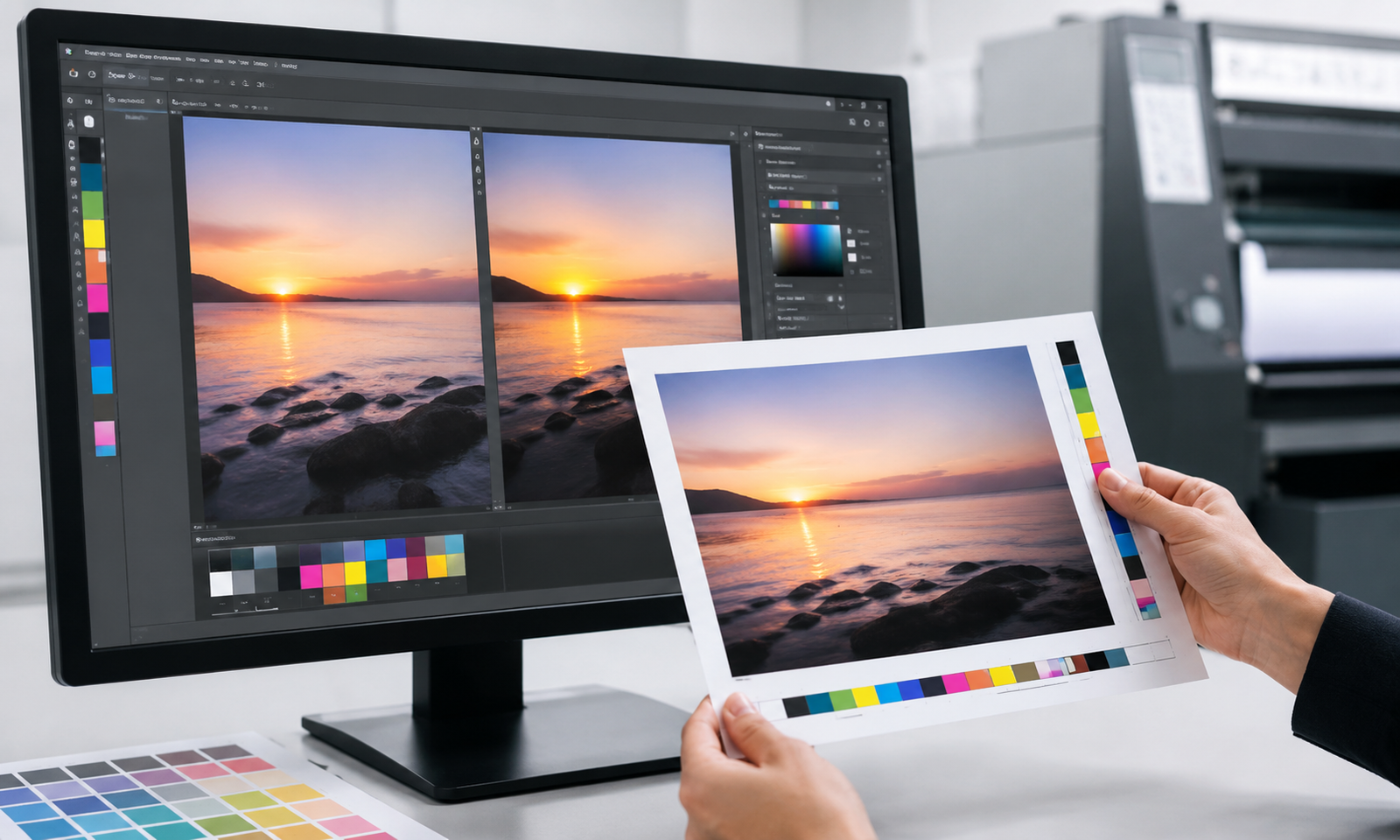
In the print industry, a single approval mistake can trigger an entire reprint run. Colors come out wrong. Text has a typo nobody caught. The artwork version that went to press was not the one the client signed off on.
These situations are more common than they should be — and most of them trace back to the same root cause: an unreliable proofing process.
Print proofing software is designed to fix exactly that. It brings structure, visibility, and accountability to one of the most critical steps in print production. This blog breaks down what it does, why it matters, and how it directly improves print quality and accuracy.
What Is Print Proofing Software?
Print proofing software is a digital system that manages the artwork review and approval process between print shops and their customers.
Instead of sending PDF attachments over email and tracking feedback across scattered message threads, proofing software provides a centralized online portal. Customers open a proof link, view the artwork at high resolution, leave precise feedback, and approve or reject the job — all in one place.
The system keeps a complete record of every version, every comment, and every approval. Nothing gets lost. Nothing is ambiguous.
For print businesses handling multiple jobs at once, this kind of structure is not just convenient. It is essential for maintaining consistent quality at scale.
The Problem With Email-Based Proofing
Many print shops still manage proofing through email. A proof goes out as a PDF. The client replies with vague feedback. The designer makes changes and sends another version. This cycle repeats until something gets approved — or until the deadline forces production to start before approval is formally given.
This approach creates several serious problems.
Version confusion is common. When multiple email threads exist for the same job, it becomes easy to print the wrong version. Clients say they approved one file; the production team sent a different one.
Feedback is imprecise. Comments like “make the logo bigger” or “the color looks off” are open to interpretation. Without the ability to point directly at the artwork, designers end up guessing — which leads to more revision rounds.
There is no audit trail. If a dispute arises, there is no reliable record of exactly what was approved, by whom, and when. This exposure can be costly for print businesses.
Response times slow everything down. Email proofing has no built-in deadline mechanism. Jobs sit waiting for a reply while production capacity goes idle.
These are not edge cases. They are everyday friction points that add cost and reduce quality across the board.
How Print Proofing Software Solves These Problems
Centralized Proof Management
All proofs, revisions, comments, and approvals live in one place. Every stakeholder — the print shop, the designer, and the client — sees the same version of the artwork and the same history of changes.
There is no searching through email chains. There is no confusion about which file is current. The system maintains a clear timeline of every action taken on every proof.
High-Resolution Proof Viewing
Clients can zoom into the artwork at full print resolution — sometimes up to 400% — directly in the browser. No plugins. No downloads. No compressed images.
This matters because print quality issues are often invisible at low resolution. A font rendering problem, a misaligned element, or a color shift in a specific area of the design only becomes visible when zoomed in close. Giving clients this level of detail catches errors before they reach the press.
On-Artwork Annotation
This is one of the most important features of modern print proofing software. Instead of describing a change in words, clients draw directly on the proof. They can circle a specific element, draw an arrow to a section, or pin a text comment to an exact location on the artwork.
Designers see the annotation in context. There is no interpretation needed. The feedback is precise, and the correction is accurate.
This single feature alone can cut revision cycles significantly on complex jobs.
Version Comparison
Good print proofing software allows clients to compare two versions of a proof side by side. They can verify that a requested change was made correctly, that nothing else shifted in the process, and that the new version is ready to approve.
This is particularly valuable for jobs with multiple revision rounds, where it can be easy to lose track of what changed from one version to the next.
Multi-Stakeholder Approval Workflows
Many print jobs require sign-off from more than one person. A corporate client might need approval from a brand manager, a marketing lead, and a legal reviewer before anything goes to print.
Print proofing software handles this by routing proofs to multiple approvers. Some may be required; others optional. Production does not begin until all required approvals are collected. This prevents the common situation where one person approves but another key stakeholder was never consulted.
Automated Production Triggering
Once all required approvers sign off, the system can automatically route the approved file to production — whether that means dropping it into a hotfolder for RIP processing, generating a job ticket in a print MIS system, or triggering a vendor purchase order.
This removes a manual handoff step that is both time-consuming and error-prone. The right file goes to the right place automatically, the moment approval is confirmed.
Full Audit Trail
Every interaction with a proof is logged. Who viewed it. When they viewed it. What comments they made. What changes were requested. Who gave final approval and exactly when.
This audit log is downloadable and can serve as a legally defensible record in the event of a dispute. For print businesses working in regulated industries — pharmaceutical packaging, financial print, branded corporate materials — this level of documentation is not optional. It is a requirement.
How Proofing Software Improves Print Quality Directly
The connection between proofing software and print quality is direct.
When clients can view artwork at high resolution and annotate precisely, errors get caught earlier. The feedback loop tightens. Revisions become fewer and more accurate. By the time a job reaches the press, it has been reviewed thoroughly and approved deliberately.
Compare that to the email proofing model, where clients glance at a compressed PDF on a phone screen, type a quick “looks good,” and production begins — only to find a problem after the run is complete.
Print quality is not just about press calibration or ink density. It is about the accuracy of the information that enters production. Proofing software ensures that only fully reviewed, correctly approved artwork goes to press. That is how quality is protected at scale.
Who Benefits From Print Proofing Software?
Print proofing software is relevant across a wide range of print verticals.
Commercial print shops handle high volumes of jobs with tight turnaround times. Structured proofing reduces the back-and-forth that eats into those timelines.
Packaging producers deal with complex dielines and multiple SKU variants. Proofing software with version comparison and multi-stakeholder workflows keeps approvals organized across a large job catalog.
Large format and signage businesses need clients to review dimension-sensitive artwork carefully. High-resolution zoom and annotation tools make this possible remotely.
Promotional product distributors often manage branded merchandise for corporate clients with strict brand guidelines. A complete audit trail and multi-level approval workflows help enforce those standards consistently.
In all of these cases, the common need is the same: a reliable, structured way to get the right artwork approved and into production without errors, delays, or disputes.
Key Features to Look For in Print Proofing Software
When evaluating a proofing solution, these are the capabilities that matter most for print quality and accuracy:
High-resolution browser-based viewing — Clients should be able to inspect artwork at full print resolution without downloading anything.
Direct annotation on artwork — Comments should be pinned to specific areas of the proof, not written in a separate text field.
Version history and comparison — Every revision should be saved and comparable side by side.
Multi-stakeholder approval routing — The system should support sequential or parallel approval across multiple reviewers.
Automated production handoff — Approval should trigger the next production step automatically, with no manual intervention.
Full audit log — Every action should be recorded with timestamps, user IDs, and IP addresses.
Solutions like PrintXpand’s print proofing software bring all of these capabilities together in a single platform — covering everything from the initial proof upload through to automated production triggering once approval is confirmed.
Final Thoughts
Print quality problems rarely start at the press. They start earlier — in a missed revision, a miscommunicated change, or an unapproved version that slipped through.
Print proofing software closes those gaps. It gives print businesses a structured, transparent, and accountable way to manage the approval process. The result is fewer reprints, faster turnaround times, and a higher standard of accuracy on every job that goes to production.
For any print operation that takes quality seriously, proofing software is not an optional add-on. It is a core part of how quality gets controlled.






Post Comment